
This analysis requires DataCello Pro
Running a forecast requires DataCello Pro. Prepare a date field and a numeric target such as sales, with one value for each daily or monthly time point.
Parse text dates first. When transaction-level data has several rows on the same date, aggregate it to the intended time grain before analysis.
Configure the forecast
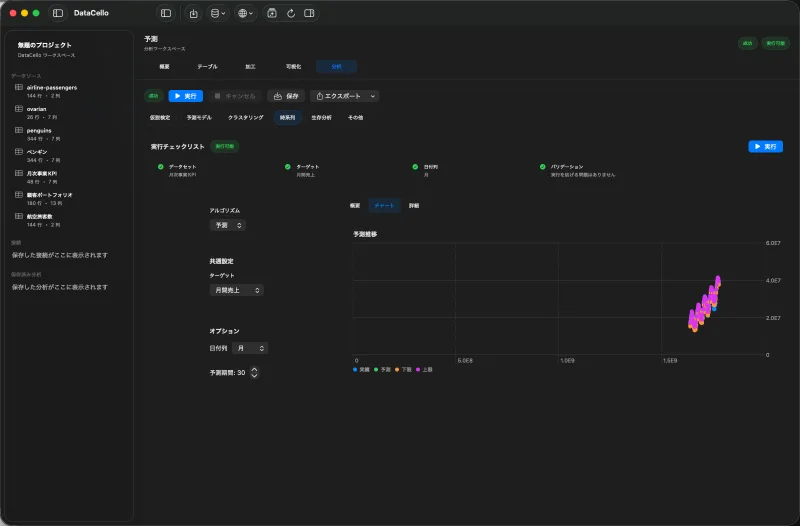
- Select the time-series dataset, click the
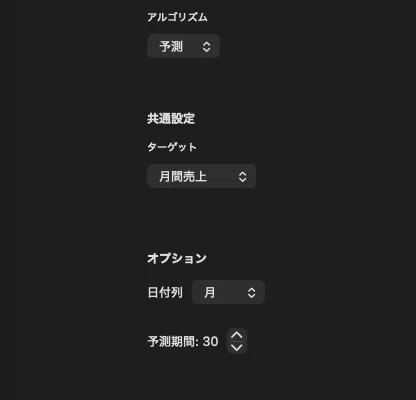
Analysistab, and choose theTime Seriescategory. - Select
Forecastfrom the algorithm menu, set sales asTarget, and select theDate Column. - Enter the number of future steps in
Forecast Period. - Review the run checklist and click
Run.
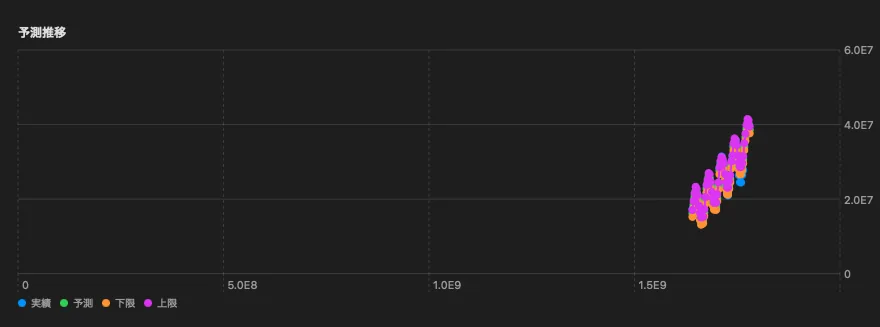
DataCello uses Prophet for this analysis. The result shows observed values, forecast values, and upper and lower bounds.
Read a range, not only a point
Use the bounds as part of the result. A wider interval farther into the future indicates greater uncertainty. Treat the center forecast as an estimate, not a committed value, when planning inventory or budgets.
Current scope
- The workflow uses a date field and one numeric target.
- You can set a horizon and inspect forecast intervals.
- Manual seasonal configuration, external regressors, multi-series batch forecasts, and scheduled refreshes are not part of the current app.