
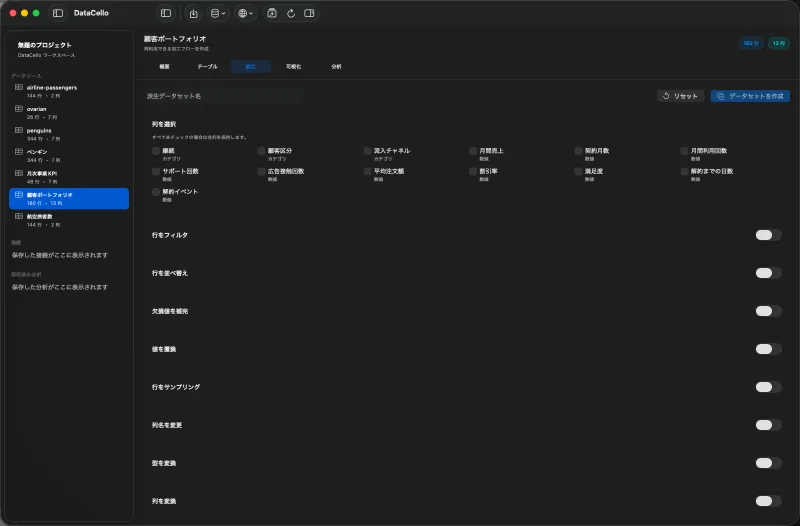
Why long format helps
A table shaped like Product, January, February, March is easy to read but stores the month inside column names. DataCello's Pivot Longer operation stacks those monthly columns into a month field and a sales field.
Product,January,February,March
A,120,150,180

Product,Month,Sales
A,January,120
A,February,150
A,March,180
Stack the monthly columns
- Select the sales dataset in the sidebar, click
Table, then open theWrangletab. - Turn on
Pivot Longerin the wrangling panel. - Check the monthly value columns. Leave identifiers such as product or store unchecked.
- Enter
MonthinNames ColumnandSalesinValues Column. - Confirm that each product now has one row per month in the preview.
- Enter a derived dataset name and click
Create Datasetwhen the result is correct.
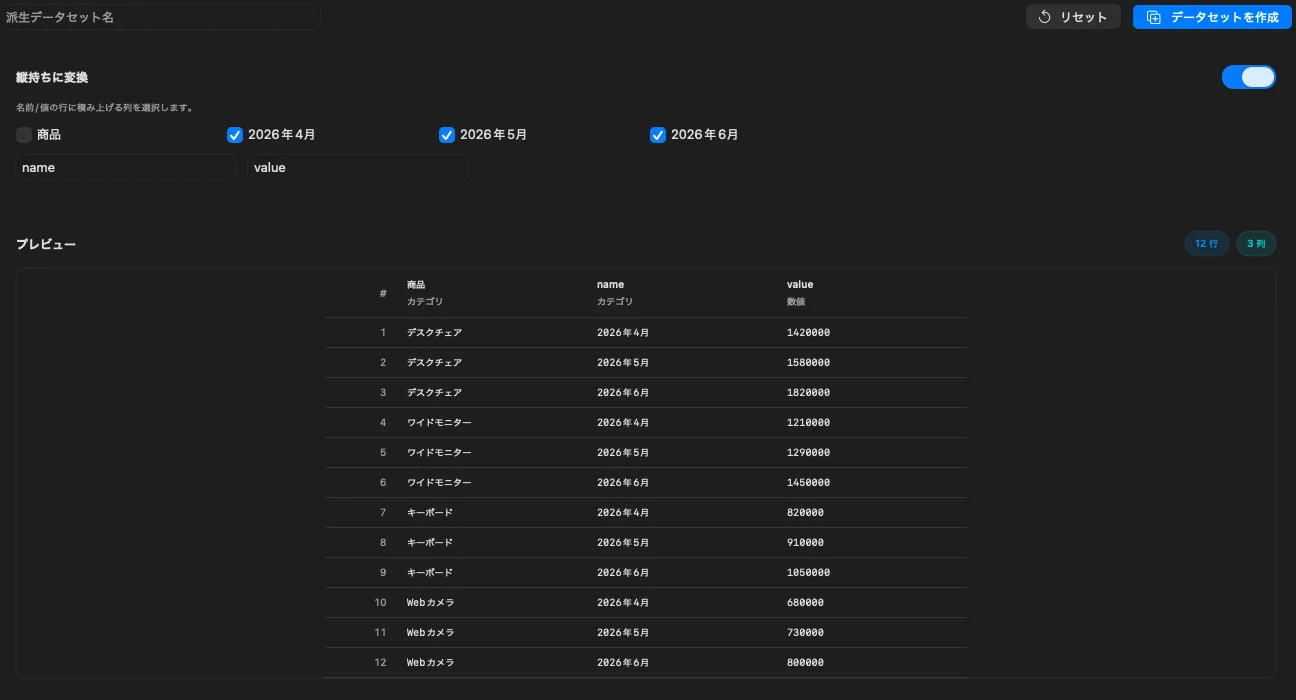
Validate the result
Ten products across twelve month columns normally produce 120 rows, including missing cells. Confirm the product identifier remains, the original headers appear in the month field, and sales is numeric.
Current scope
- Selected columns are stacked into name and value rows.
- The source remains unchanged; the result can become a derived dataset.
- Pivot Longer does not automatically turn month labels into real dates. Add date parsing afterward when needed.